Subtitle
A Modern Launchpad Replacement for Mac
Media kit
A Modern Launchpad Replacement for Mac. Everything needed to cover, list, or share KidoX: approved descriptions, screenshots, product links, release details, and contact information.

Use these descriptions for app directories, articles, social posts, and review pitches.
A Modern Launchpad Replacement for Mac
KidoX is a native macOS Launchpad replacement that brings back the visual app grid, folders, pages, keyboard navigation, and quick search.
KidoX restores the familiar Launchpad-style app launcher for Mac users who still want a fast visual grid for browsing, organizing, and opening apps. It is native to macOS, lightweight, keyboard-friendly, and free to start.
KidoX is a macOS app launcher designed for Mac users who miss Launchpad, prefer a visual way to browse their apps, or want a cleaner, faster launch experience than digging through Finder or remembering every app name. It brings back a familiar Launchpad-style app grid for modern macOS, especially macOS Tahoe, while adding more control for everyday Mac workflows. KidoX is built for people who want to open apps quickly, organize their app layout visually, hide clutter, and keep their setup consistent across Macs. With KidoX, you can browse installed apps in a clean grid, search instantly, arrange apps across pages, open the launcher with a keyboard shortcut, hot corner, menu bar icon, or Dock icon, and drag apps directly into the Dock. KidoX also watches your Applications folders for changes, so newly installed apps appear automatically. Your layout, hidden apps, shortcuts, appearance, and preferences stay stored locally on your Mac. KidoX Main Features: - Launchpad-style app grid for browsing installed Mac apps - Fast app search with keyboard support - Custom app pages and icon arrangement - Keyboard shortcuts for opening KidoX quickly - Hot corner support - Menu bar and Dock access - Drag apps from KidoX directly into the Dock - Automatic scanning of Applications folders - Automatic updates when apps are installed or removed - Hide apps from the KidoX grid without uninstalling them - Custom appearance and wallpaper - Local-only layout and preference storage - Backup and restore for moving your setup to another Mac - Native macOS support for Apple Silicon and Intel Macs
Short reference details for directory listings, press emails, and product roundups.
Press and directory assets hosted on kidox.app. Please keep the app name written as KidoX.
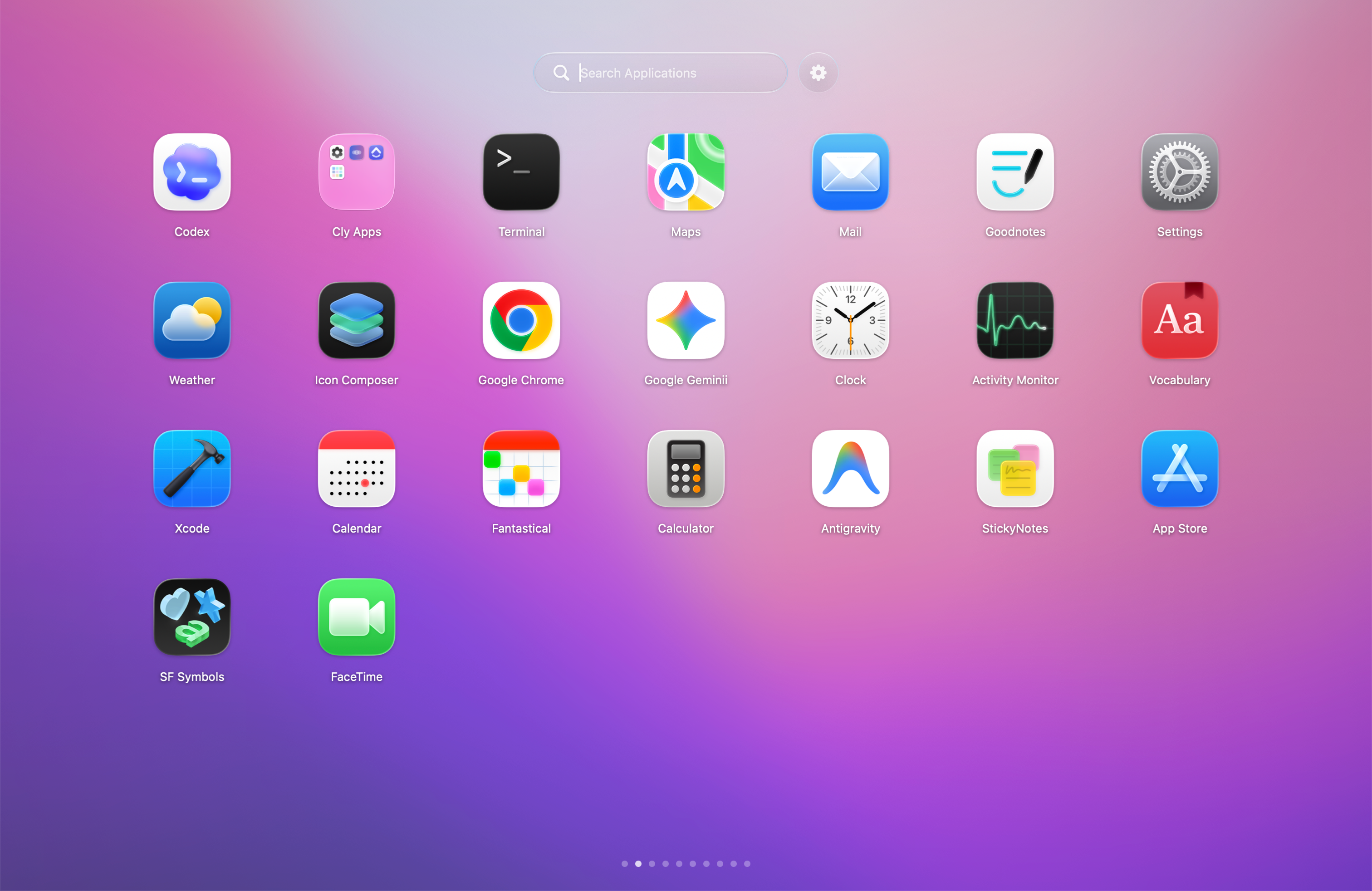
App screenshot
Launcher screen for articles, listings, and comparison pages.
Download PNG
For reviews and articles, KidoX is best framed as a native visual launcher for people who miss Launchpad.